
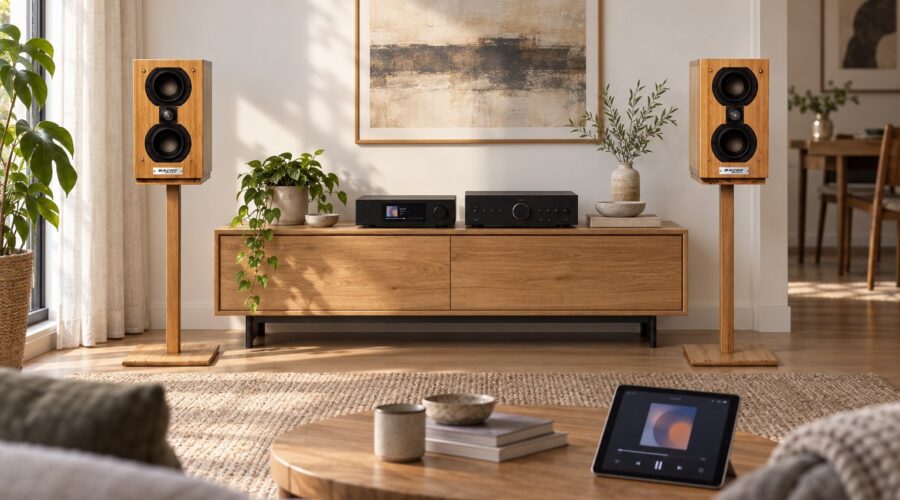
How to Add Music Streaming to a Hi-Fi System
Adding music streaming to a Hi-Fi system does not necessarily require replacing your speakers or amplifier. Start by identifying the inputs on your existing equipment, then choose a source that fits those connections and your preferred way of playing music.
The most useful upgrade is one that works reliably, is easy to control, and connects correctly to the system you already enjoy.
Identify what your system already includes
Write down your amplifier’s model and look at its input labels. Does it have an unused line input such as AUX or CD? Does it offer an optical or coaxial digital input? Check the manual rather than relying on the shape of a connector alone.
Also establish whether your speakers are passive or have their own amplification. Conventional passive speakers need a power amplifier. A source device described only as a network streamer should not be assumed to provide speaker-level power.
Understand the basic signal path
A network streamer receives digital audio. A digital-to-analog converter, or DAC, converts it into an analog signal. An amplifier then supplies the power needed by passive speakers. These functions may be housed in separate components or combined.
For example, the Cambridge Audio Stream Magic 6 manual documents analog line outputs for an amplifier and digital outputs for an external DAC. Use your own model’s manual to confirm its available connections.
Choose a connection route
A streamer with analog outputs
If your streamer includes a DAC, its analog line outputs can feed a suitable amplifier line input. Do not connect a normal line-level output to a phono input intended for a turntable cartridge. Confirm the input labels and connection instructions for both devices.
A streamer feeding a separate DAC
If you already have a DAC you want to keep, choose a streamer with a compatible digital output. The DAC’s analog output then feeds the amplifier. Check supported connections and formats before buying a source.
An amplifier with digital or network inputs
Some amplifiers already contain a DAC, network playback, or both. Check their features first. You may need only a compatible streaming source, or you may already have the function you want built in.
Decide where volume will be controlled
Confirm whether the streamer’s output is fixed or variable and which component will control listening volume. A fixed output should not feed a power amplifier directly unless a suitable volume control exists elsewhere in the chain. Begin with volume low and follow the manufacturers’ setup instructions.
A separate remote, an app, and the amplifier’s front-panel control can all affect everyday convenience. Choose a clear routine that every person using the system understands.
Check the music service and home network
Before purchasing, make a short list of the services and playback methods you actually need. Verify current support for each one on the chosen device, including account or subscription requirements. Features can differ between models and change over time.
Consider where the streamer will sit and how it will reach your network. If Wi-Fi is unreliable in that location, check whether the device supports a wired Ethernet connection. Evaluate reliability before assuming a more expensive audio component will solve playback interruptions.
A first-listen checklist
- Confirm the selected input and the intended volume-control component.
- Play a familiar recording at a low initial level.
- Check that left and right channels behave as expected.
- Try the app features you use daily, such as search and queues.
- Listen through several tracks to check playback stability.
When comparing your new source with an existing one, use the same recording version and similar volume. Keep brief notes about usability as well as sound.
Plan music streaming around your speakers
A convenient source should complement your complete system. Explore the Bache Audio speaker collection if speakers are part of your upgrade, or contact Bache Audio with your amplifier and source model names to discuss system matching.
Common questions
Do passive speakers need Wi-Fi for streaming?
No. In a conventional system, the network connection belongs to the streamer or streaming amplifier. Passive speakers receive the amplified audio signal through speaker cables.
Do I always need a separate DAC?
No. A compatible DAC may already be built into your streamer or amplifier. Check what you own before adding another component.